
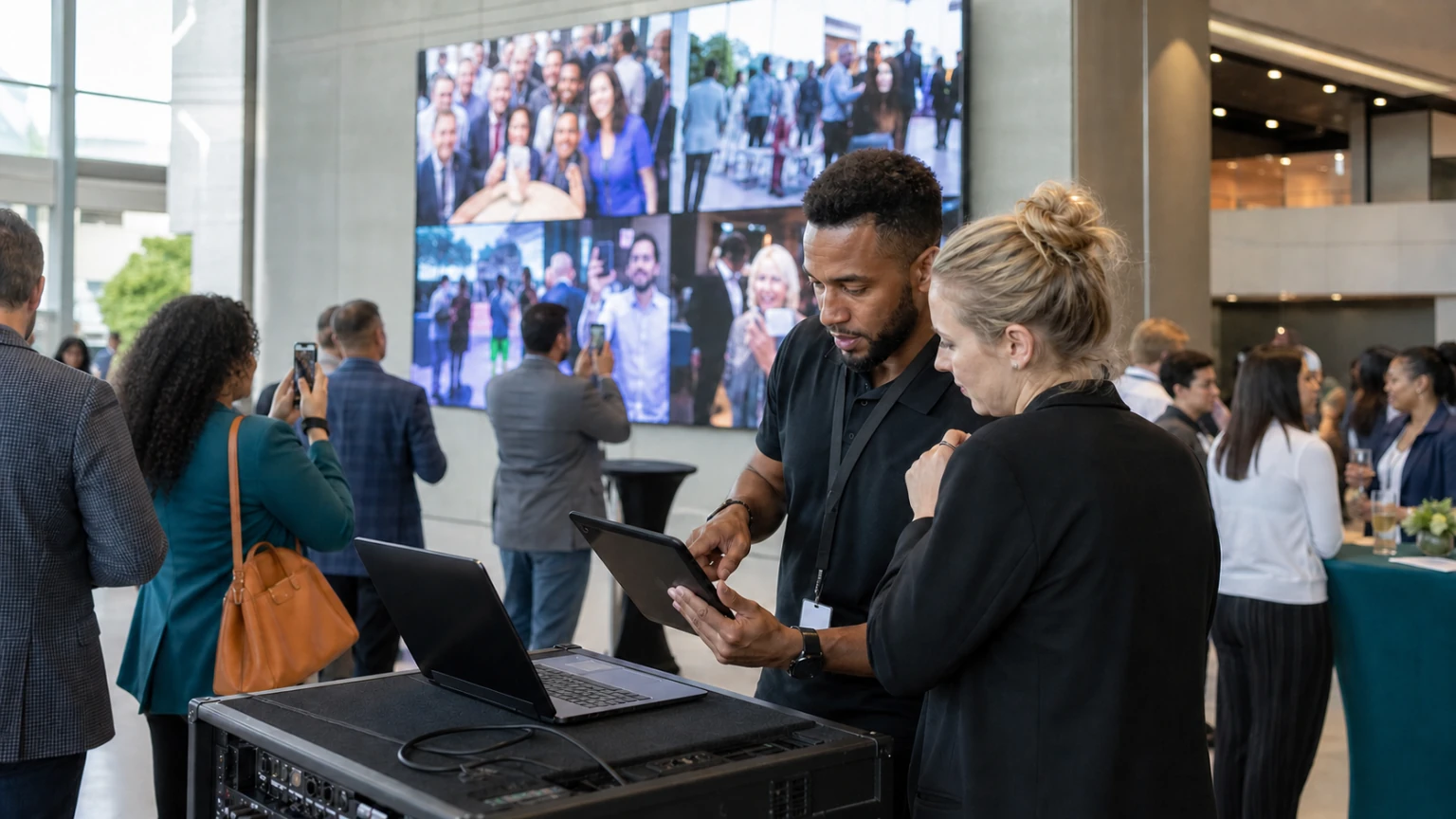
Live attendee content can make an event app feel more active, more social, and more connected to what is happening on site.
Recent industry coverage of Walls.io partnering with EventMobi to bring real-time attendee content into events is a useful reminder of where event apps are heading: not just toward information delivery, but toward visible, shared participation.
That opportunity is real, but so is the operational risk.
If live content is poorly moderated, badly placed, or disconnected from the event format, it can clutter the app and create extra work for already busy teams.
Live attendee content works best when it is treated as an operating workflow, not just an engagement add-on.
Why this matters
Many event apps already handle the basics: agenda access, speaker details, venue information, exhibitor listings, and attendee updates.
What live attendee content adds is a visible layer of participation. That may include social posts, attendee photos, comments, reactions, or curated community content displayed inside the app or connected event channels.
When done well, it can help with:
- making the event feel active in real time
- encouraging more attendee participation
- highlighting sponsor or exhibitor moments
- extending energy across sessions and social spaces
- giving remote or less visible attendees a way to contribute
But the value does not come from the feed itself. It comes from how clearly the team defines its purpose.
Start with the use case, not the feature
Before adding live attendee content to an event app, decide what job it is supposed to do.
For example, are you trying to increase interaction during a user conference? Surface attendee moments during a festival-style event? Support sponsor visibility? Encourage posting around a product launch? Create a sense of momentum between sessions?
Each use case leads to a different setup.
A practical planning conversation should answer:
- Who is expected to contribute content?
- What kind of content is acceptable?
- Where will it appear in the app?
- Who will review it?
- What action do you want attendees to take after seeing it?
If those questions are unclear, the content stream usually becomes noise rather than value.
Choose the right placements inside the app
Not every screen in an event app should carry live attendee content.
The most effective placements are usually the ones where participation adds context without disrupting a core task.
Good examples may include:
- a dedicated social or community section
- the event home screen, if the feed is curated and relevant
- selected sponsor or activation pages
- session pages for specific moments or prompts
- networking areas tied to attendee interaction
Be careful about putting a fast-moving content stream on every important screen.
Attendees often open the app for practical reasons first: to find a room, check a schedule, confirm a session, or locate an exhibitor. The operational content should stay easy to access.
The app should still perform its core job even when the live content is busy.
Build moderation into the operating plan
This is the part teams often underestimate.
Real-time attendee content may feel spontaneous, but it needs structure behind it. Someone has to decide what is approved, what is removed, what is escalated, and what response time is acceptable.
At minimum, event teams should define:
- moderation ownership
- approval rules
- escalation steps for sensitive content
- coverage hours
- backup staff during peak periods
That matters even more at large public events, branded activations, or conferences with sponsors and press attendance.
Fast publishing without governance can create brand, safety, or reputational problems very quickly.
Set clear content rules for attendees
If you want attendees to contribute, make the rules easy to understand.
Do not bury them in a long policy document and assume people will find them. Put the basics where contribution starts.
Useful guidance may include:
- what types of posts are encouraged
- what hashtags or submission methods to use
- whether posts may appear publicly in the app
- what content is not permitted
- how moderation works
Simple rules reduce confusion for attendees and reduce avoidable intervention for the event team.
Coordinate with marketing, operations, and AV
Live attendee content sits across multiple teams.
Marketing may own campaign messaging and audience prompts. Operations may own moderation processes and staffing. AV or technical teams may be affected if the same content also appears on venue screens or other live displays.
That means the workflow should be aligned before the event opens.
A few practical checks help:
- confirm who owns the content stream during live hours
- align app placement with the attendee journey
- check how content appears across devices and formats
- prepare fallback messaging if the feed is paused or unavailable
- brief sponsors or partners on what is and is not guaranteed
This is especially important when live attendee content is being positioned as part of the event experience, not just as an optional extra.
Prompt participation deliberately
Many live content features underperform for a simple reason: attendees are never given a strong reason to post.
Participation usually improves when prompts are specific and timely.
Examples include:
- photo prompts at arrival or registration
- session questions displayed before a keynote
- sponsor-led challenges or giveaways
- community prompts tied to networking themes
- end-of-day recap questions
The key is relevance. A generic request to “share your event experience” is weaker than a prompt connected to a real moment in the attendee journey.
Design for quality, not just volume
More content is not always better.
A smaller stream of relevant, timely, well-presented attendee content is usually more useful than a high-volume feed with repetition, weak context, or off-topic posts.
That means teams should think beyond raw contribution count.
Ask instead:
- Did the content support the event atmosphere?
- Did it help attendees feel included?
- Did it support sponsors or exhibitors appropriately?
- Did it create moderation strain?
- Did people interact with it inside the app?
This shifts the conversation from novelty to operational value.
Prepare for quiet periods and peak periods
Live attendee content is uneven by nature.
You may see very little activity in the morning, then a surge during headline sessions, activations, or evening receptions.
Plan for both conditions.
During quiet periods, the app experience should still look intentional. During busy periods, moderation and publishing should still stay under control.
It helps to prepare:
- seed content or starter prompts
- named time windows for active moderation
- rules for pinning or highlighting priority posts
- clear pause procedures if needed
That keeps the feed from feeling abandoned early in the day or chaotic later on.
Think about sponsors carefully
Live attendee content can support sponsor visibility, but it should be handled carefully.
If sponsor integration feels too forced, attendees may ignore it. If it is too loose, sponsors may not see the value.
A better approach is to connect sponsor involvement to a clear attendee action, such as a themed prompt, an activation area, or a contest moment that fits the event naturally.
The content experience should still feel like part of the event, not just an ad unit placed inside the app.
Common mistakes to avoid
- adding a live content feed without a clear use case
- failing to assign moderation ownership
- placing the feed where it interrupts core app tasks
- expecting attendee participation without prompts
- judging success only by post volume
- promising stakeholders constant activity without planning for quieter periods
A practical checklist for event teams
- define the purpose of live attendee content
- decide where it belongs inside the app
- set contribution and moderation rules
- assign ownership across teams
- prepare prompts for key event moments
- test the attendee view before launch
- plan for sponsor and screen coordination if relevant
- review performance after the event and refine the workflow
Where Bewitt fits in operationally
For teams evaluating event app strategy, the main question is not whether live attendee content is trendy. It is whether the app experience can support engagement without compromising clarity and control.
That is the practical standard event operators should use.
If attendee content improves participation, strengthens the event atmosphere, and remains manageable for the team, it is doing its job.
Final thought
Live attendee content can bring energy into an event app, but only when it is planned with the same discipline as any other attendee-facing workflow.
The strongest setups are simple: a clear purpose, visible prompts, controlled moderation, and placements that support rather than distract from the event journey.
That is what turns a live feed from a nice idea into a reliable part of event delivery.



