
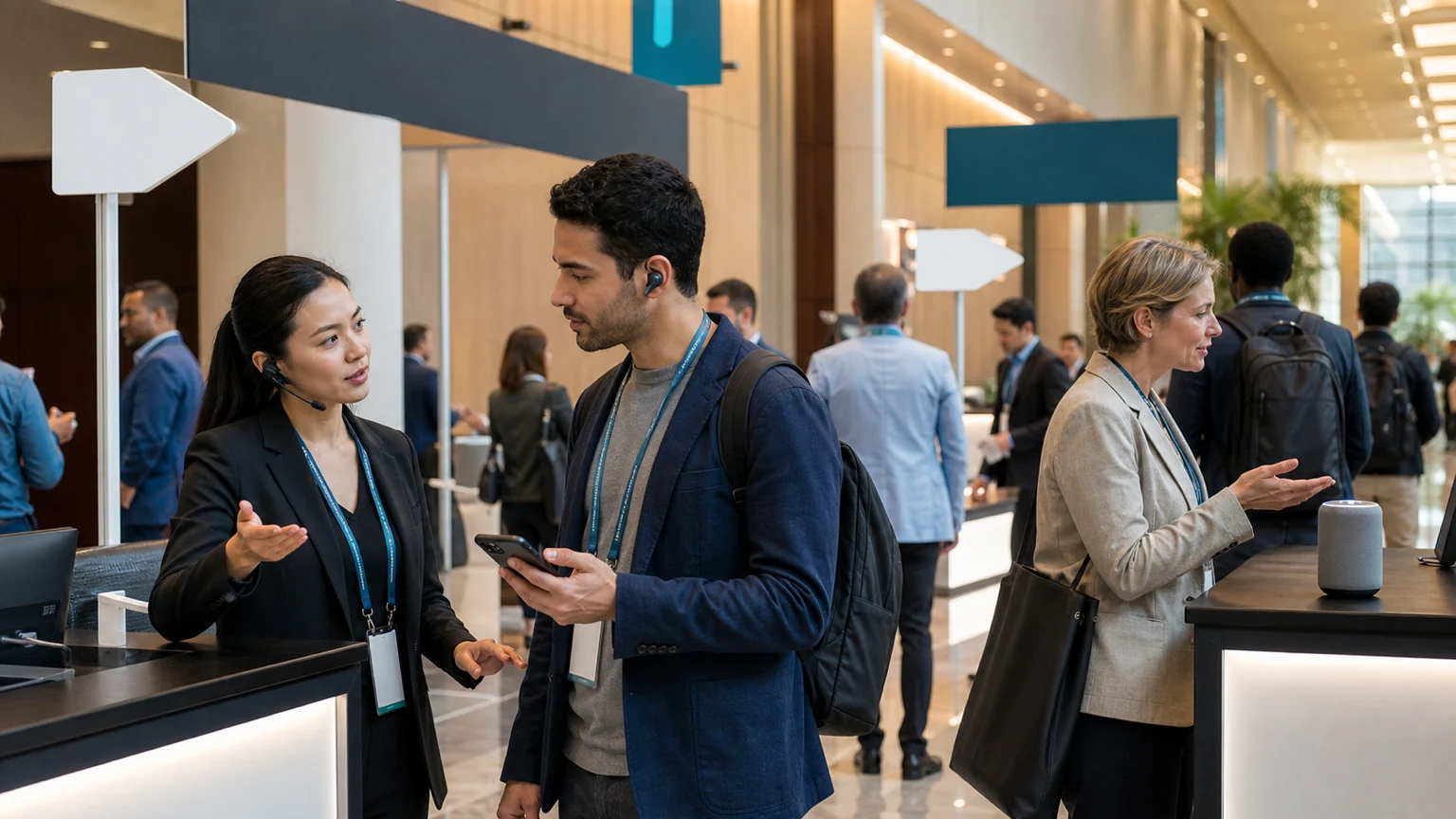
AI voice support is moving closer to real event use, especially as newer voice models aim for more natural human-AI interaction. OpenAI has described GPT-Live as a new generation of voice models powering ChatGPT Voice, which matters because event teams have long wanted faster, more accessible attendee help without adding endless staffing.
For organizers, the opportunity is not to replace human hospitality. It is to handle high-volume, repeatable questions more smoothly during busy live operating windows.
The best use of voice AI on-site is not novelty. It is reducing friction when attendees need simple answers quickly.
If you are considering AI-powered voice assistants for a conference, expo, or festival, the practical question is straightforward: where can voice support improve attendee service without creating more operational risk?
Why voice assistance may matter on-site
Live events create a specific support problem. Attendees need answers while walking, queuing, entering rooms, finding transport, or dealing with last-minute changes. In those moments, typing into an app may be slower than asking a question out loud.
That makes voice especially relevant for common requests such as:
- where a session room is located
- when a talk starts
- whether a room is full
- how to reach registration, exits, or restrooms
- where sponsor activations or food areas are
- what to do if a badge is lost
- how to get accessibility assistance
These are not glamorous interactions, but they are exactly the kind that can overwhelm staff desks, floor teams, and messaging channels at peak times.
Where voice AI fits best in the event operation
Voice assistance is usually strongest when it supports narrow, well-defined tasks tied to event data that changes in real time or near real time.
1. Wayfinding and venue navigation
Attendees often ask directional questions repeatedly. If your venue map, room list, and zone names are consistent, a voice assistant may help answer basic navigation requests faster.
This works best when naming is standardized across signage, agenda, and app content. If one ballroom has three different labels across systems, voice support will struggle because the underlying data is already messy.
2. Agenda and session help
Voice can be useful when attendees need quick schedule support:
- finding the next session in a track
- checking start times
- confirming speaker names
- identifying sessions nearby
- surfacing changes or cancellations
For large programs, this can reduce pressure on information desks and staff roaming the floor.
3. FAQ handling during peak periods
Many on-site questions repeat hundreds of times. A voice layer may help answer the first line of those questions, especially around:
- opening hours
- entry policies
- bag rules
- wifi access
- transport and parking guidance
- lost and found process
The value here is operational consistency. Attendees hear the same answer, and staff can focus on exceptions or higher-touch cases.
4. Accessibility support
Voice can also matter for attendees who may prefer speaking over navigating menus. That does not remove the need for staffed accessibility support, but it may improve access to basic information when speed matters.
Voice should be treated as an additional support channel, not a complete service strategy.
Start with bounded use cases, not a full event-wide rollout
The biggest mistake is trying to make a voice assistant handle every possible event interaction on day one.
A better first deployment is narrow and operationally safe. For example, you might begin with:
- agenda lookup for one conference track
- wayfinding help in one venue zone
- general attendee FAQs during registration hours
- speaker-ready room or staff-only support in a backstage setting
This approach helps the team test reliability, escalation paths, and user behavior before expanding scope.
Vendor evaluation criteria for event teams
If you are comparing voice AI vendors or partners, feature demos should not be the main decision driver. Event conditions are noisy, time-compressed, and unforgiving. You need to understand whether the system can perform under live operational pressure.
Data and content fit
- can the assistant use your event agenda, maps, venue labels, and FAQ content reliably
- how are updates pushed when room changes or schedule shifts happen
- how quickly can content owners correct wrong or outdated answers
- does the system support event-specific terminology, sponsor names, and room names
Operational control
- who can update answers during the event day
- is there a clear fallback when the assistant is unsure
- can the team define approved answer sources
- can certain topics be limited to safe responses only
Live environment performance
- how well does it handle background noise
- what is the response latency in a crowded venue
- how does it perform during simultaneous demand spikes
- what happens if connectivity degrades
Escalation and human handoff
- can it route attendees to a staffed desk, hotline, or human support point
- how does it respond to safety-related, medical, or security questions
- does it clearly signal when a human should take over
Analytics and reporting
- can you see the most common questions asked
- can unanswered or failed queries be reviewed quickly
- can the data help improve signage, staffing, or content for future events
For most organizers, these questions matter more than whether the voice sounds impressive in a quiet demo room.
What to measure before calling it a success
Voice AI should be evaluated like any other event operations tool: by whether it improves service, reduces friction, or saves team time.
Useful ROI metrics may include:
- reduction in repetitive inquiries at information desks
- faster average response time for common attendee questions
- higher self-service resolution rate for FAQs
- lower staffing pressure during peak check-in or agenda transitions
- fewer missed sessions caused by confusion about timing or location
- attendee satisfaction with support access
- share of questions that still require human escalation
You can also track qualitative signals. Did floor staff report fewer basic interruptions? Were queues at help points shorter? Did attendees appear more confident moving through the venue?
A simple pilot framework
If you want to test voice assistance without overcommitting, keep the pilot tightly scoped.
Before the event
- select one or two high-volume question categories
- clean up room names, agenda data, and FAQ content
- define what the assistant should not answer
- set clear human escalation routes
- brief staff so they understand the pilot and can support it
During the event
- monitor failed or confusing responses in real time
- assign an owner who can update content quickly
- watch where attendees abandon the interaction
- compare activity against desk traffic and support messages
After the event
- review top question types
- identify where source data was weak
- measure how many interactions were resolved without staff involvement
- decide whether the next step should be expansion, redesign, or pause
What to watch out for
Voice AI is not automatically a better interface for every event. There are real practical limits.
- noisy environments may reduce usefulness
- poor source data will produce poor answers
- complex or sensitive questions still need humans
- attendees may not trust the tool unless the use case is clear
- overly broad deployments create higher error risk
This is why event teams should avoid treating voice as a branding stunt. It works best when attached to a real support bottleneck.
Why GPT-Live is worth watching, carefully
OpenAI's positioning of GPT-Live as a new generation of voice models for natural human-AI interaction is relevant because event support often depends on speed, clarity, and low-friction exchanges. If voice interactions become more natural and dependable, on-site assistance becomes easier to imagine as a practical operations layer rather than a novelty feature.
Still, organizers should separate market momentum from deployment readiness. A promising voice model is not the same thing as a proven event workflow. The live event test is always the same: can it answer the right questions, in the right moment, with the right fallback?
Final thought
For Bewitt readers, the immediate opportunity is not to build a fully automated event concierge. It is to identify a few high-frequency attendee support moments where voice may reduce stress for both guests and staff.
If you start with bounded use cases, clear source data, and measurable outcomes, AI voice tech can become a useful operational tool on-site. If you start with hype, it will probably become one more system for the team to manage.



